Original project design: Lajapathy. Later proposals retain their labels.

Smart-home controls | Shipped product

HomeNest: Smart Living & Home Automation

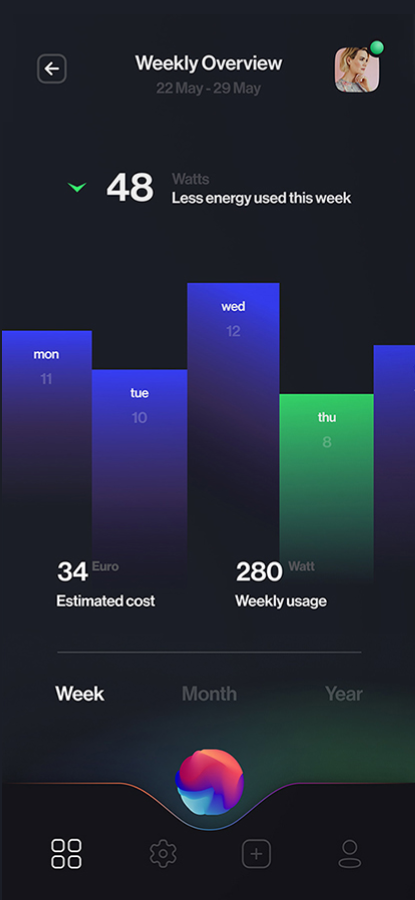
The original design covers HomeNest's device controls: a temperature dial with distinct inactive and active states, an air-purifier view and weekly summaries.
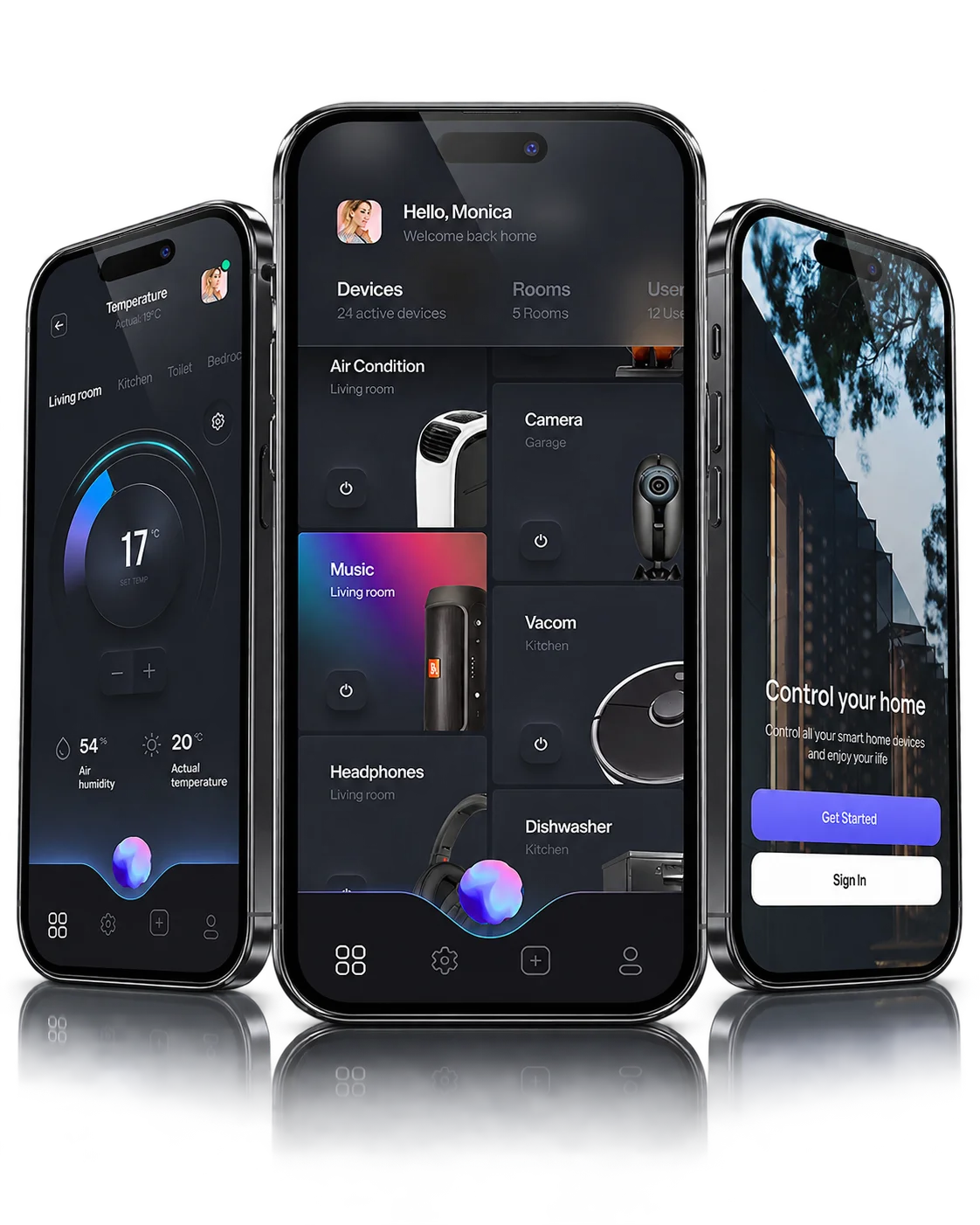
Home-control interfaceInactive temperature control · Active temperature control · Air-purifier view
HomeNest smart home app screens

PROJECT AT A GLANCE

The essentials.

Design scope
Home-control interface
Available views
Air-purifier view · Weekly summaries
Screen focus
Original interface
Design principle
Controls kept distinct from readings
Skip to project details

FROM THE PROJECT FILES

Inside the original product

Screens from the original product.

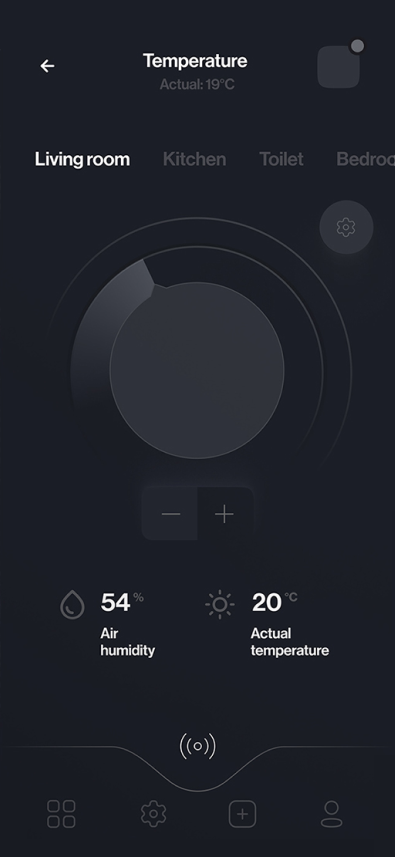
Temperature — inactive control

Temperature — inactive control — HomeNest screen
The inactive state gives the dial a clear baseline to compare against the active control.

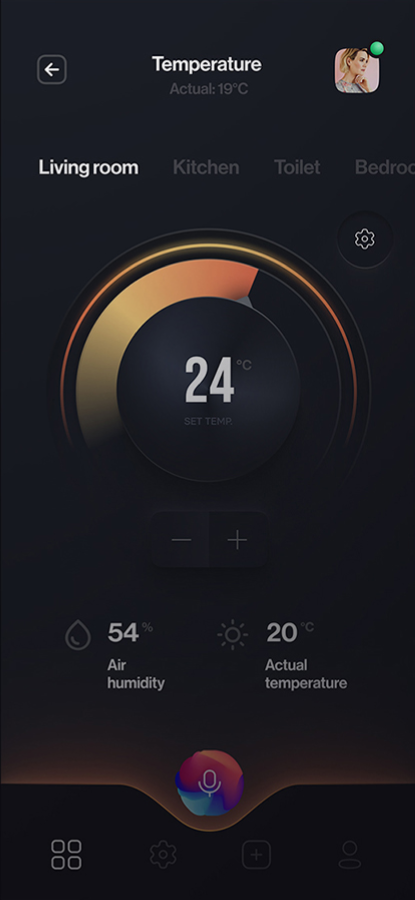
Temperature — active control

Temperature — active control — HomeNest screen
The active view displays a selected temperature and supporting humidity and actual-temperature readings.

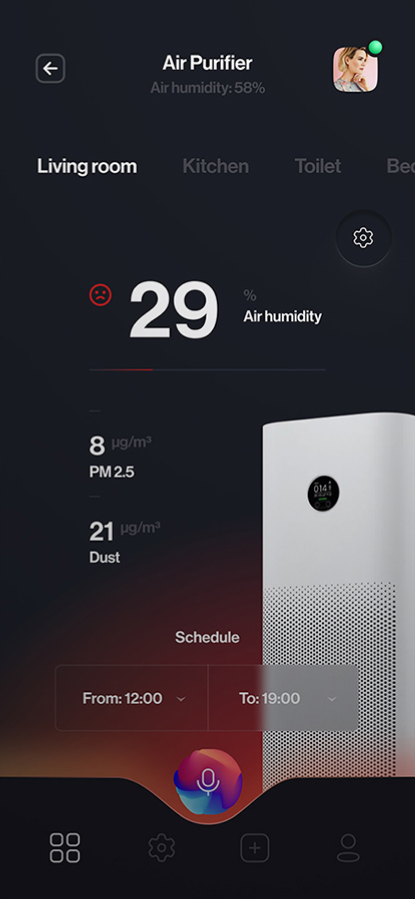
Air purifier

Air purifier — HomeNest screen
The purifier view combines air-quality readings, a device image and schedule information on one screen.

SCREEN OBSERVATIONS

Temperature states and purifier readings.

Each device screen separates what you control from what the device reports back.

01

Temperature states

The original design uses distinct inactive and active states for the temperature dial, so it is obvious when a setting is in effect.

02

Supporting readings

The active dial sits alongside actual-temperature and humidity readings, keeping the target separate from current conditions.

03

Purifier scheduling

The original design brings the purifier schedule into the same view as its air-quality readings, so timing and conditions are managed in one place.

These observations refer to the original screens.

Design
Question

How do you keep a control's state distinct from the readings and schedule around it?

Screen observations

  • The inactive temperature view shows the dial at rest, before a setting is applied.
  • The active view shows the selected temperature on the dial itself.
  • Humidity and actual-temperature readings support the active dial.
  • Air-quality readings and scheduling share the purifier view with a device illustration.

Screen
Coverage

How the original screens connect.

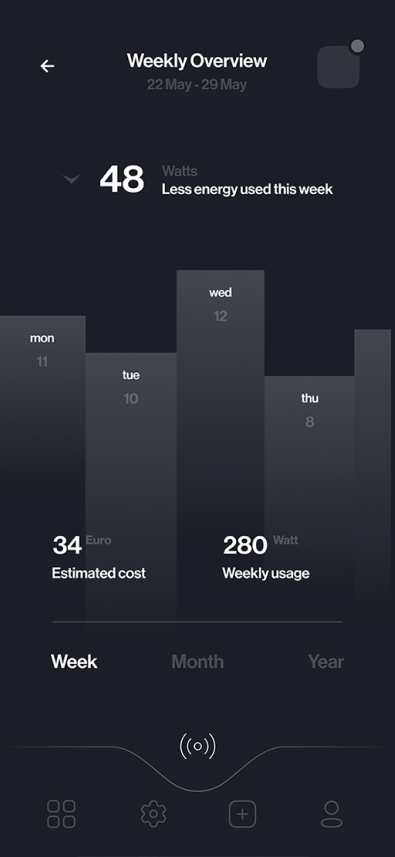
Inactive temperature controlActive temperature controlAir-purifier viewWeekly summaries

Interaction
patterns

Key structures in the original product:
  • Inactive and active temperature screens make the change of state visible at a glance.
  • Selected and actual temperatures play distinct roles in the active view.
  • The purifier is built around readings and schedule rather than reusing the temperature dial.
  • Each device gets controls suited to how it works, rather than one generic control for every device.

Where shall we go next?

Discuss a related design challenge with us, or explore another original project.

Discuss a projectNext project: Z-MeetCase studies